
BoxShop Theme is one of those WordPress themes I discovered when I was trying to build a simple but professional online store without overcomplicating things. At that time, I didn’t want a heavy theme with too many features I just needed something clean, fast, and easy to customize.
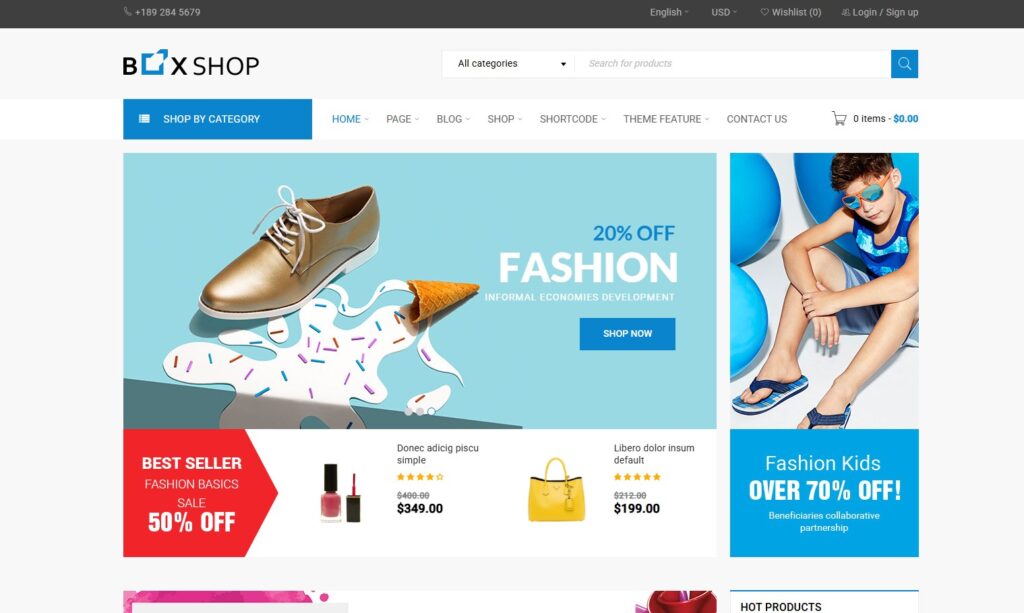
In this article, I’ll share my real experience with BoxShop in a friendly and practical way, so you can easily decide if it’s the right theme for your eCommerce website.
What Is BoxShop Theme?
From my experience, BoxShop is a WooCommerce-focused WordPress theme designed for:
- Online stores
- Fashion websites
- Product showcase shops
- Small to medium eCommerce businesses
It focuses on simplicity and usability, which is something I personally value when building websites for long-term use.
Why I Chose BoxShop Theme
When I first started building online shops, I made a mistake: I chose themes that looked impressive but were too heavy and difficult to manage.
So I changed my approach.
With BoxShop, I found:
- A clean and minimal design
- Easy WooCommerce integration
- No unnecessary complexity
- Smooth performance
That’s exactly what I needed at the time.
My First Impression
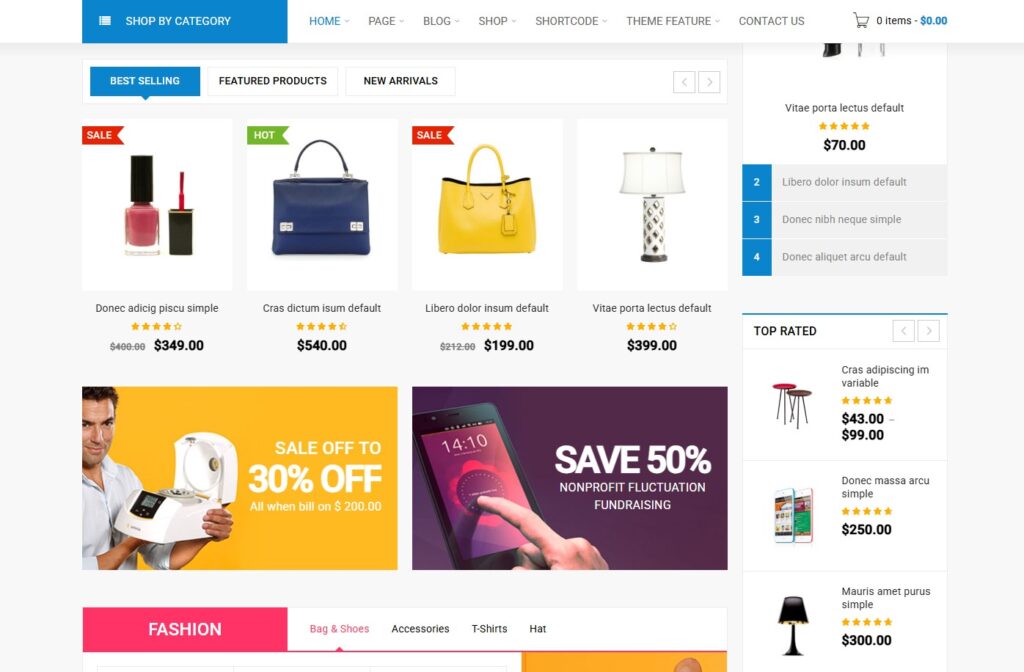
Right after installing the theme, I noticed how lightweight and straightforward everything felt.
There weren’t too many confusing settings. Instead, I could quickly:
- Import demo content
- Customize the homepage
- Add products
Within a few hours, I already had a working online store.
Key Features I Personally Like
Clean and Modern Design
BoxShop focuses on a simple layout that highlights products clearly.
From my experience:
- Product images stand out
- Layout feels organized
- Navigation is easy for users
This helps improve user experience and conversion rates.
Strong WooCommerce Integration
Since it’s built for WooCommerce, everything works smoothly.
I can easily:
- Add products
- Manage categories
- Set pricing and discounts
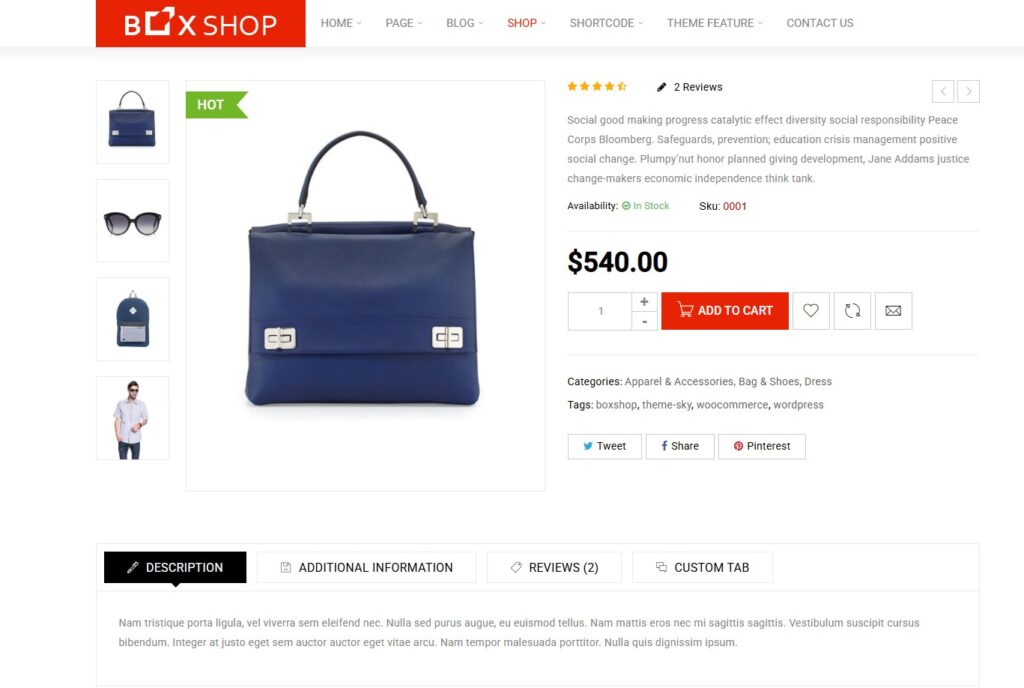
- Customize product pages
I didn’t run into compatibility issues, which saved me a lot of time.
Easy Customization
BoxShop doesn’t overwhelm me with too many options.
Instead, it offers:
- Basic layout controls
- Color and typography settings
- Simple homepage customization
This makes it ideal for beginners or anyone who wants a fast setup.
Mobile-Friendly Design
One thing I always check is mobile responsiveness.
With BoxShop:
- Pages load well on mobile
- Product layout adapts nicely
- Navigation remains smooth
This is very important because most users shop using their phones.
My Honest Pros and Cons
After using BoxShop in real projects, here’s my honest breakdown.
Pros
- Clean and minimal design
- Easy to use
- Good WooCommerce compatibility
- Lightweight compared to many shop themes
- Beginner-friendly
Cons
- Limited advanced customization
- Fewer demo templates
- Not ideal for complex eCommerce systems
- May feel basic for large stores
Performance and Speed
From my experience, BoxShop performs quite well.
It’s not the fastest theme on the market, but:
- It loads quickly with basic optimization
- It doesn’t include unnecessary heavy features
- It works smoothly on standard hosting
If you combine it with caching and image optimization, the performance becomes very good.
Who Should Use BoxShop Theme?
Based on my experience, BoxShop is best for:
- Small online stores
- Beginners in eCommerce
- Fashion or product showcase websites
- Users who prefer simple design
It may not be suitable for:
- Large-scale eCommerce platforms
- Complex multi-vendor marketplaces
- Highly customized stores
My Workflow Using BoxShop Theme
Here’s how I usually build a store with BoxShop:
- Install the theme
- Import demo content
- Set up WooCommerce
- Add products and categories
- Customize homepage
- Optimize speed and images
This simple process allows me to launch a store quickly without stress.
Tips From My Experience
If you plan to use BoxShop, here are some practical tips:
- Use high-quality product images
- Keep the design clean and simple
- Avoid installing too many plugins
- Optimize your website for mobile users
These small details can significantly improve your store’s performance.
Is BoxShop Theme Worth It in 2026?
From my perspective, yes—especially if you want something simple and effective.
Even though there are many advanced themes available, BoxShop still stands out because:
- It’s easy to use
- It’s lightweight
- It gets the job done without complexity
For many users, that’s more important than having too many features.
My Final Thoughts
After working with BoxShop Theme, I can say it’s a solid choice for building a clean and functional online store.
It may not be the most powerful theme out there, but it’s reliable, easy to manage, and perfect for simple eCommerce projects.
Doshared
If you want to try BoxShop before purchasing, Doshared has introduced useful resources for WordPress users.
Doshared would like to share a free version of the BoxShop Theme so you can experience it before making a decision. Please leave your email in the comment section below, and I will send it to you.