
Groovy theme is one of those WordPress themes I discovered when I was rethinking how to build a personal blog that is both fast and SEO. After trying several heavy, feature packed themes that slowed down my websites, I decided to switch to something cleaner and more performance focused.
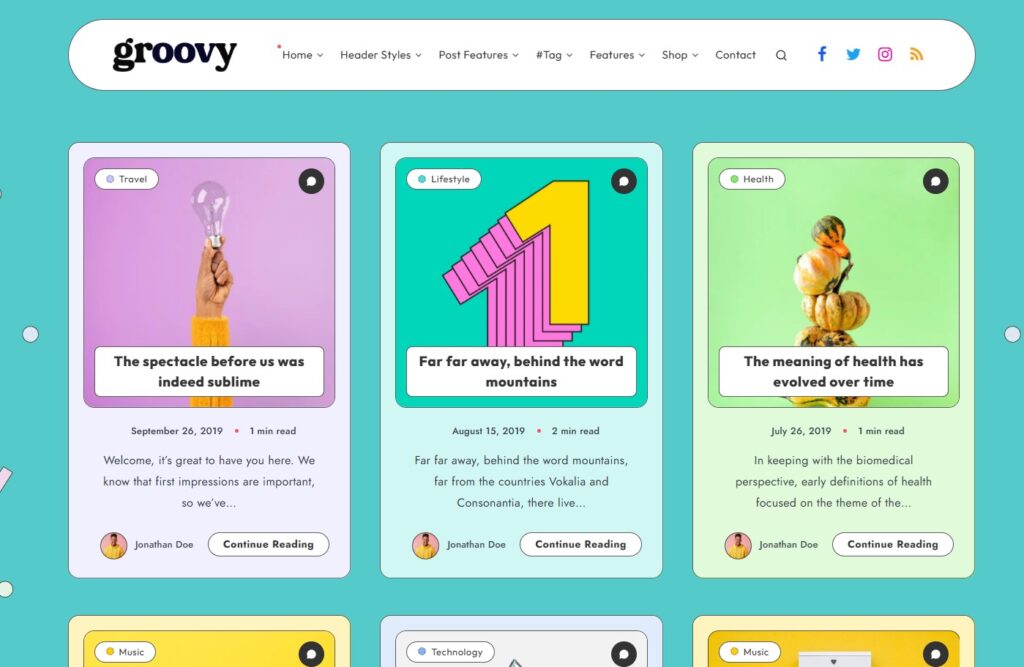
That’s when I started using Groovy Theme, and it completely changed the way I approach blogging websites. In this article, I’ll share my full experience with Groovy theme, including how it performs, how I use it for SEO, and whether it’s worth choosing for your next WordPress blog in 2026.
Why I Switched to Groovy Theme
Before using Groovy theme, I made a mistake that many beginners also make: I chose themes based on design instead of performance.
Those themes looked impressive, but:
- They loaded slowly
- They required too many plugins
- They affected SEO performance
So I changed my strategy.
Instead of focusing on appearance, I prioritized:
- Speed
- Clean structure
- User experience
- SEO optimization
Groovy theme checked all those boxes, which is why I decided to give it a try.
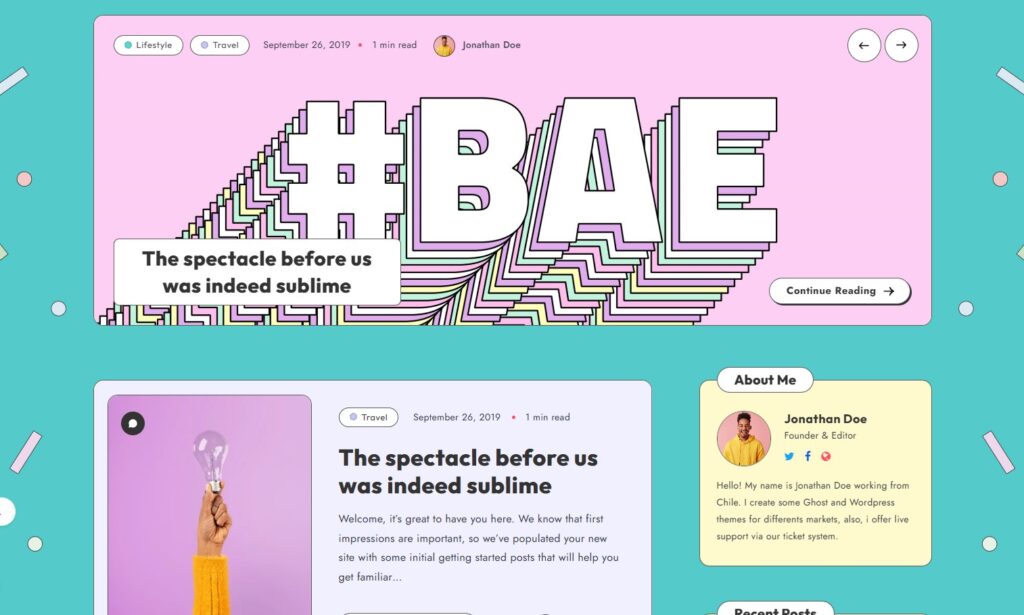
My First Experience With Groovy Theme
When I first installed Groovy theme, I immediately noticed how lightweight it felt.
There was no complicated setup process. Within a short time, I could:
- Activate the theme
- Adjust basic settings
- Publish my first article
The interface was simple, and everything was designed with clarity in mind.
What impressed me most was the loading speed even without optimization, the website already performed well.
What Makes Groovy Theme Stand Out
1. Clean and Minimalist Design
Groovy theme focuses on simplicity.
From my experience:
- The layout is clean and distraction-free
- Content is the main focus
- Typography is easy to read
This is extremely important for blogs because readers come for content, not visual clutter.
2. Fast Loading Performance
Speed is one of the strongest points of Groovy theme.
In my testing:
- Pages load quickly
- No unnecessary scripts
- Smooth experience on mobile devices
This directly impacts:
- SEO rankings
- User engagement
- Bounce rate
For me, this was one of the biggest advantages.
3. SEO-Friendly Structure
Groovy theme is built with SEO in mind.
I noticed:
- Clean HTML code
- Proper heading structure
- Good compatibility with SEO plugins
This helps search engines understand content better and improves indexing.
4. Lightweight and Optimized
Unlike many themes that include too many features, Groovy keeps things simple.
This means:
- Less resource usage
- Faster performance
- Easier optimization
It’s a great choice if you want to build a fast website without technical complexity.
5. Easy Customization
Even though it’s minimal, Groovy still allows basic customization.
I can:
- Change colors and fonts
- Adjust layout settings
- Customize homepage sections
It’s simple but effective, especially for bloggers.
My Real Pros and Cons
After using Groovy theme across different projects, here’s my honest evaluation.
Pros
- Fast loading speed
- Clean and modern design
- SEO-friendly structure
- Easy to use for beginners
- Lightweight and efficient
Cons
- Limited advanced features
- Not suitable for complex websites
- Fewer design options compared to premium themes
How I Use Groovy Theme for SEO Blogging
Here’s how I typically build a blog using Groovy theme:
Step 1: Install and Set Up
I install the theme and configure basic settings like logo, colors, and layout.
Step 2: Optimize Structure
I make sure:
- Categories are clear
- Menu is simple
- Internal linking is easy
Step 3: Add SEO Plugin
I usually install an SEO plugin to:
- Optimize meta tags
- Improve readability
- Manage keywords
Step 4: Publish Content
I focus on:
- High-quality articles
- Keyword optimization
- User-friendly formatting
Step 5: Improve Performance
I optimize:
- Images
- Cache
- Hosting environment
This workflow helps me build a fast and SEO-friendly blog efficiently.
Performance Test From My Experience
When I tested Groovy theme, I noticed:
- Fast initial loading
- Stable performance
- Smooth scrolling
Even without advanced optimization, the results were already good.
After adding caching and CDN:
- Speed improved further
- Page experience became even better
Who Should Use Groovy Theme?
Based on my experience, Groovy theme is ideal for:
- Personal bloggers
- Content creators
- SEO beginners
- Minimalist website lovers
It may not be suitable for:
- Large business websites
- eCommerce stores
- Complex web applications
Practical Tips When Using Groovy Theme
If you want to get the best results, here are some tips I learned:
- Keep your design simple
- Focus on content quality
- Optimize images before uploading
- Use fast hosting
- Avoid installing too many plugins
These small steps can make a big difference in performance and SEO.
Is Groovy Theme Worth It in 2026?
From my personal experience, Groovy theme is still a solid choice.
Even with many modern themes available, it stands out because:
- It is fast
- It is simple
- It is SEO-focused
For bloggers who want to grow traffic through search engines, these factors are extremely important.
My Final Thoughts
After working with Groovy Theme, I can confidently say it’s a great option for building a personal blog that is both fast and SEO-friendly.
It may not have all the advanced features of premium themes, but it does something more important:
It helps you focus on content and performance.
If you want to try Groovy theme before using it on your main website, Doshared has introduced useful resources for WordPress users.
Doshared would like to share a free version of the Groovy theme so you can experience it before making a decision. Please leave your email in the comment section below, and I will send it to you.