WordPress SEO plugin is always the very first thing I install whenever I build a new website. From my personal experience, choosing the right SEO plugin doesn’t just help you optimize content—it can completely change how fast your site ranks on Google, how easy your workflow becomes, and how confident you feel doing SEO.
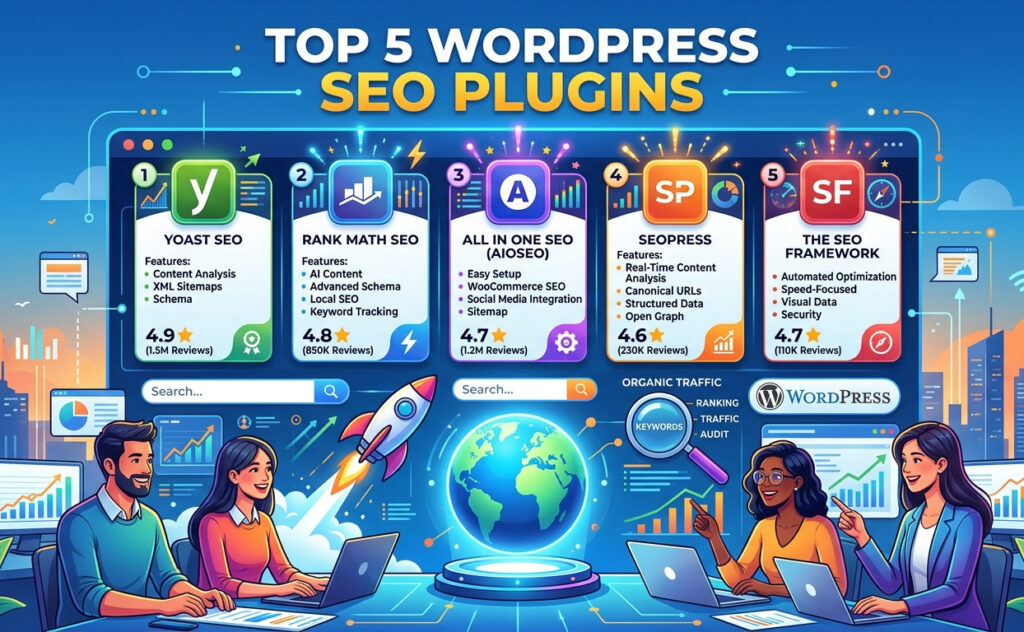
In this guide, I’m going to walk you through everything I’ve learned after testing multiple plugins over the years. I’ll focus on the top 5 most popular WordPress SEO plugins, including Yoast SEO, Rank Math, All in One SEO, SEOPress, and The SEO Framework.
If you’re a beginner or even someone already doing SEO, this article will help you pick the right tool and use it effectively.
Why I Always Use a WordPress SEO Plugin
When I first started with WordPress, I thought just writing content was enough. But I quickly realized something important:
Without proper SEO optimization, even great content can stay invisible.
A good WordPress SEO plugin helps me:
- Optimize titles and meta descriptions
- Generate XML sitemaps automatically
- Add schema markup easily
- Improve on-page SEO
- Control indexing and crawling
Instead of doing everything manually, the plugin acts like a smart assistant that guides me step by step.
How I Choose the Right SEO Plugin
After trying many tools, I’ve developed my own criteria. When choosing a plugin, I always look for:
- Ease of use (especially for beginners)
- Powerful SEO features
- Speed and performance
- Good free version
- Scalability for future growth
Based on these factors, here are my top 5 picks.
1. Yoast SEO – The Classic Choice for Beginners
Whenever someone asks me about a WordPress SEO plugin, Yoast SEO is usually the first name that comes to mind.
Why I Started with Yoast SEO
Yoast SEO was the first plugin I ever used. It helped me understand SEO basics in a very simple way.
Key features I love:
- Real-time SEO analysis
- Readability check
- XML sitemap generation
- Meta title & description control
- Breadcrumb support
My Personal Experience
What I really like is the traffic light system:
- Red → needs improvement
- Orange → okay
- Green → good
It made SEO feel less complicated when I was just starting.
However, over time I noticed:
- Some advanced features require premium
- Slightly heavier than newer plugins
Who Should Use Yoast SEO?
- Beginners
- Bloggers
- Small business owners
2. Rank Math – The Powerful All-in-One SEO Tool
After using Yoast for a while, I switched to Rank Math—and honestly, I was surprised by how powerful it is.
What Makes Rank Math Different
Rank Math feels like a next-generation SEO plugin.
Key features:
- Optimize for multiple keywords
- Built-in schema generator
- Google Search Console integration
- 404 monitor and redirection manager
- Advanced SEO analysis
My Experience
The setup process is incredibly smooth. I could configure everything within minutes.
What impressed me most:
- Many advanced features are completely free
- Lightweight and fast
- Clean and modern interface
Downsides
- Too many features can overwhelm beginners
- Requires a bit of learning
Best For
- Intermediate users
- Affiliate marketers
- SEO professionals
3. All in One SEO (AIOSEO) – The Balanced Solutio
All in One SEO is another plugin I’ve used a lot, especially for client projects.
Why I Recommend It
It offers a perfect balance between simplicity and functionality.
Key features:
- Smart XML sitemap
- On-page SEO analysis
- WooCommerce SEO optimization
- Social media integration
- Local SEO features
My Experience
What I like most:
- Clean and intuitive dashboard
- Stable performance
- Reliable updates
Compared to Rank Math, it feels more conservative but very dependable.
Best For
- Business websites
- Agencies
- E-commerce stores
4. SEOPress – Clean and Underrated
SEOPress is not as famous as the big names, but I’ve used it on several niche sites and had great results.
Why I Like SEOPress
- No ads (even in free version)
- White-label feature
- Clean interface
- Strong schema support
My Experience
It feels very professional and minimal. It doesn’t overwhelm me with unnecessary options.
Another thing I like is the pricing—it’s more affordable compared to other premium plugins.
Downsides
- Smaller community
- Less beginner-friendly guidance
Best For
- Developers
- Agencies
- Users who prefer simplicity
5. The SEO Framework – Fast and Lightweight
If speed is your top priority, this is the plugin I recommend.
What Makes It Unique
- Fully automated SEO
- No ads or upsells
- Extremely lightweight
- Focus on performance
My Experience
I use this plugin for websites where speed is critical, like landing pages.
It works quietly in the background without constant notifications.
Downsides
- Not beginner-friendly
- Limited manual control
Best For
- Advanced users
- Performance-focused websites
Quick Comparison Table
| Plugin | Ease of Use | Features | Speed | Free Version |
|---|---|---|---|---|
| Yoast SEO | ⭐⭐⭐⭐⭐ | ⭐⭐⭐⭐ | ⭐⭐⭐ | Good |
| Rank Math | ⭐⭐⭐⭐ | ⭐⭐⭐⭐⭐ | ⭐⭐⭐⭐ | Excellent |
| All in One SEO | ⭐⭐⭐⭐ | ⭐⭐⭐⭐ | ⭐⭐⭐⭐ | Good |
| SEOPress | ⭐⭐⭐ | ⭐⭐⭐⭐ | ⭐⭐⭐⭐ | Good |
| SEO Framework | ⭐⭐ | ⭐⭐⭐ | ⭐⭐⭐⭐⭐ | Decent |
Which WordPress SEO Plugin Should You Choose?
This is the question I get the most.
Here’s my honest advice:
- If you’re a beginner → choose Yoast SEO
- If you want more features for free → go with Rank Math
- If you want reliability → pick All in One SEO
- If you like clean UI → try SEOPress
- If you care about speed → use SEO Framework
- My Personal Workflow (Real Experience)
Over time, I stopped using just one plugin for everything.
Here’s how I currently work:
- Rank Math → for blog & affiliate sites
- AIOSEO → for client projects
- SEO Framework → for lightweight pages
Choosing the right plugin depends on the project—not just personal preference.
Common Mistakes I See All the Time
Even with the best WordPress SEO plugin, many people still fail because of these mistakes:
1. Keyword Stuffing
Trying to force keywords everywhere doesn’t help—it actually hurts your rankings.
2. Ignoring Content Quality
SEO plugins can guide you, but they can’t replace good content.
3. Using Multiple SEO Plugins
This can cause conflicts and break your site.
4. Skipping Setup
Always complete the setup wizard—it’s there for a reason.
My Tips to Get Better SEO Results
From my experience, here’s what really works:
- Focus on user intent first
- Write natural, helpful content
- Optimize titles and meta descriptions carefully
- Use internal linking
- Keep your site fast and lightweight
Final Thoughts
Choosing the right WordPress SEO plugin is one of the smartest decisions you can make for your website.
Each plugin has its own strengths:
- Yoast SEO → simple and beginner-friendly
- Rank Math → powerful and feature-rich
- All in One SEO → balanced and reliable
- SEOPress → clean and underrated
- SEO Framework → fast and minimal
You don’t need the “best” plugin—you need the one that fits your workflow.
Doshared has just explored with you the most popular WordPress SEO plugins available today. If you want to try the premium versions of the plugins mentioned above, feel free to leave your email below. I’ll send them to you so you can experience and choose the best one for your needs.