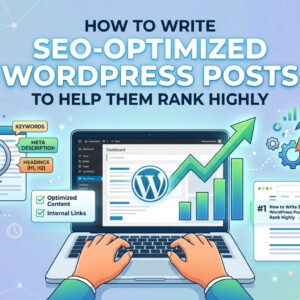
How to Write SEO-Friendly Blog Posts in WordPress is something I had to learn step by step after making many small mistakes with my own content. When I first started writing blog posts in WordPress, I mainly focused on finishing the article and clicking publish. I did not think much about search intent, post structure, internal links, image optimization, or how easy the content was to read. Over time, I realized that writing a post is only part of the process. If I want the post to have a better chance of ranking in search results, I need to make it easier for both readers and search engines to understand.
In this post, I want to share the simple method I use when writing SEO-friendly blog posts in WordPress. I do not see this as a complicated formula. In my experience, it is more about doing the basics in a consistent way and avoiding the mistakes that often make a post weaker than it should be.
Why SEO-Friendly Blog Writing Matters in WordPress
When I first used WordPress, I liked how easy it was to create and publish content. But I quickly learned that publishing alone does not mean the post will get traffic. A blog post can be well written and still struggle if the structure is unclear, the keyword is poorly chosen, or the page is not optimized in a practical way.
That is why I think SEO-friendly writing matters. It helps turn a regular blog post into a post that is easier to discover, easier to read, and more useful for the kind of visitor who arrives from Google.
For me, SEO-friendly writing in WordPress is not about forcing keywords everywhere. It is about writing a post that matches what people are searching for and presenting the information in a clear, organized, and useful way.
Start with One Clear Keyword
The first thing I do before writing a blog post is choose the main keyword. I used to skip this step and just write whatever came to mind. Later, I found that this made the whole article feel less focused.
Now I prefer to choose one main search phrase before I write the introduction. This helps me stay clear about the topic and the purpose of the article. If the keyword is “How to Write SEO-Friendly Blog Posts in WordPress,” then the content should clearly explain that process in a simple and practical way.
I think this step matters because it affects everything else:
- the title
- the introduction
- the subheadings
- the URL
- the meta description
- the overall direction of the article
When the keyword is clear from the beginning, the writing process feels much smoother.
Understand Search Intent Before You Start Writing
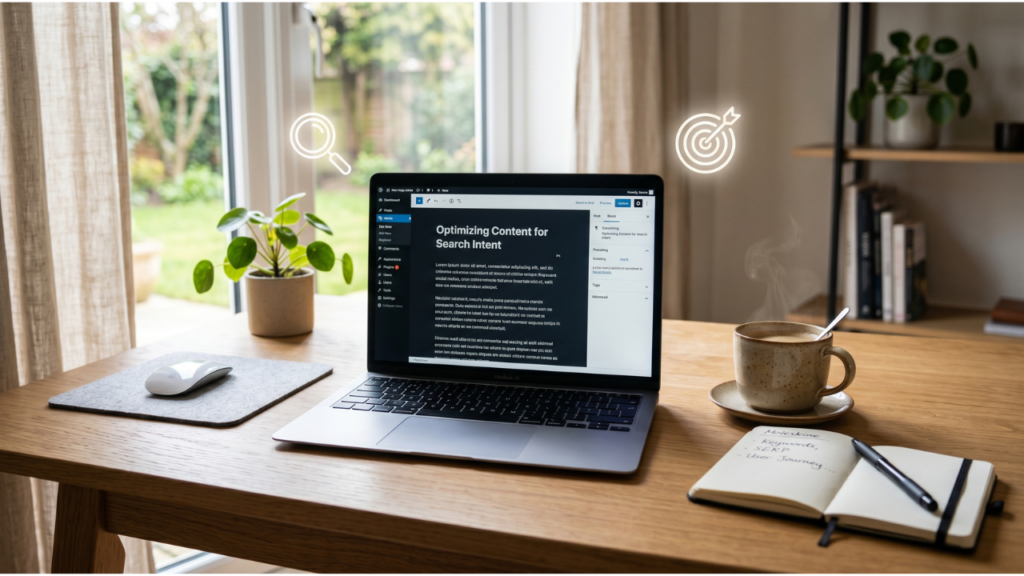
This is one of the most helpful lessons I have learned. A keyword is important, but search intent is what gives the article the right direction.
Before I write, I try to ask myself what the reader is really looking for. For this topic, the reader probably wants a practical guide, not a confusing technical explanation. They want to know how to write a post in WordPress that is both helpful and optimized for search.
If I misunderstand that intent, the article may not perform well even if I use the keyword correctly.
That is why I think it helps to define the intent clearly before writing. In many cases, the intent behind SEO-related beginner keywords is informational. The reader wants guidance, examples, and simple steps they can follow.
Put the Keyword in the Right Places
I do not believe in stuffing keywords into every paragraph. That usually makes the content feel unnatural. But I do think the main keyword should appear in the most important places where it helps explain the topic clearly.
In my usual workflow, I try to place the keyword in:
- the title
- the opening paragraph
- at least one H2 heading
- the slug
- the meta description
- a few natural places in the body
I treat this as structure rather than repetition. The goal is not to repeat the keyword unnecessarily. The goal is to make the page topic very clear from the beginning.
For beginners, I think this is a good balance because it helps with optimization without making the article awkward to read.
Write an Introduction That Feels Natural
The introduction matters more than many people think. It is often the first real impression the reader gets after clicking the page. If the opening feels weak, confusing, or too generic, the reader may leave quickly.
When I write introductions, I try to do three simple things:
- mention the topic clearly
- show that I understand the problem
- give the reader a reason to continue
I also like to keep the tone natural and direct. I do not try to sound overly formal or overly promotional. For a blog like DoShared, I think the writing works better when it feels honest, simple, and experience-based.
A good introduction does not need to be dramatic. It just needs to be clear and useful.
Use a Clear Structure with Headings
One thing that changed my writing a lot was learning how much structure matters. A good post should not feel like one long block of text. It should guide the reader through the topic step by step.
In WordPress, I usually organize a post like this:
- one H1 for the main title
- several H2 headings for key sections
- H3 headings for smaller breakdowns when needed
- short paragraphs that are easy to scan
I find that this helps in two ways. First, it improves readability for actual visitors. Second, it helps search engines understand what the page is about.
For example, if I am writing about SEO-friendly blog posts, useful sections may include keyword research, titles, headings, internal links, image optimization, and post readability. Each section has a clear purpose, which makes the article easier to follow.
Keep the Writing Simple and Easy to Read
In my experience, many blog posts become harder to read because the writer tries too hard to sound advanced. I used to make this mistake too. I thought more complex wording would make the article look more professional, but in reality, it often made the post less clear.
Now I try to keep the language simple. I use shorter sentences, shorter paragraphs, and straightforward wording. That does not mean the content is weak. It just means the content is easier to understand.
For beginner SEO topics, readability matters a lot. The person reading the article may already feel confused. A simple writing style can make the information feel more manageable.
This is one reason I like using the first-person style. It makes the content feel more conversational and practical, especially when I am sharing what has worked for me.
Write Headings That Actually Help the Reader
A heading should do more than break up the page. It should also tell the reader what the next section is about.
I try to avoid vague headings when possible. A heading like “Important Tips” is less helpful than “Use Internal Links to Connect Related Posts.” Specific headings give the reader a better sense of direction.
I think this also helps with SEO because headings create a clearer topical structure. Search engines can understand the article more easily when the sections are organized around useful subtopics.
When I write a post in WordPress, I usually review the headings before publishing and ask myself whether they would still make sense if someone only skimmed the page.
Optimize the Title Without Making It Awkward
Titles are one of the most important parts of a blog post. They help with both rankings and clicks. I like titles that are clear and direct because they usually perform better than titles that try too hard to be clever.
If the keyword is “How to Write SEO-Friendly Blog Posts in WordPress,” I want the title to reflect that naturally. I do not want to hide the topic behind vague wording.
A good title should usually do at least two things:
- describe the topic clearly
- suggest a practical benefit
I think the strongest titles for beginner SEO articles are often the simplest ones.
Add Internal Links in a Natural Way
Internal links are one of the easiest things to improve in a WordPress blog, and I think many beginners do not use them enough.
When I add internal links, I try to think about what the reader may want to learn next. If someone is reading a post about writing SEO-friendly blog posts, they may also be interested in:
- WordPress SEO for beginners
- how to choose keywords for a WordPress blog
- best SEO plugins for WordPress
- common WordPress SEO mistakes
Linking to these related topics helps keep the visitor engaged and helps search engines understand the relationships between pages.
I do not add internal links just for the sake of adding them. I try to place them where they feel useful and relevant.
Use Images, but Optimize Them Properly
I think images can improve blog posts when they add clarity or break up the content visually. But I also know from experience that images can slow a post down if they are not handled properly.
Now I try to follow a few simple habits:
- compress the image before uploading
- use a descriptive file name
- write alt text when it makes sense
- avoid uploading oversized files
I do not over-optimize images, but I do try to make sure they are helping the post rather than hurting page speed.
Make the Post Helpful, Not Just Optimized
This may be the most important part of all. I have seen content that looks optimized on the surface but still feels weak because it does not really help the reader.
Now, before I publish, I ask myself a few questions:
- Does this post answer the search query clearly?
- Is the advice practical enough to follow?
- Does it sound natural?
- Would I find this useful if I were a beginner?
If the answer is no, then I know the post needs more work.
I think this is especially important for beginner-focused content. A person searching for help usually wants clarity, not filler. The more useful and direct the article is, the better chance it has to perform well over time.
Use an SEO Plugin as a Guide, Not as the Writer
I do like using SEO plugins in WordPress because they help with small but important details. A plugin such as Yoast SEO can remind me to check the title, meta description, keyword placement, readability, and internal links.
At the same time, I never want the plugin to completely control the writing. A plugin can point out issues, but it cannot fully decide whether the content is genuinely useful or well matched to search intent.
I treat it as a helpful assistant, not as the main strategy.
Review the Post Before Publishing
Before I hit publish, I usually go through a simple final review. This step helps me catch weak phrasing, awkward sections, or missed optimization details.
I check things like:
- Is the title clear?
- Does the opening paragraph explain the topic well?
- Are the headings useful?
- Is the keyword placed naturally?
- Are there internal links?
- Is the content easy to read?
- Does the article feel complete?
This short review often improves the post more than I expect.
Common Mistakes I Try to Avoid
There are several mistakes I now try to avoid when writing blog posts in WordPress for SEO.
Writing without a clear keyword
This often makes the post feel unfocused.
Ignoring search intent
A post may be well written but still fail if it does not match what the user wants.
Using long paragraphs
Large text blocks can make the article feel harder to read.
Overusing the keyword
This makes the writing sound unnatural.
Forgetting internal links
A good post should connect to other relevant content on the site.
Relying too much on plugins
Plugins help, but they are not the same as strong content.
My Simple Checklist for SEO-Friendly Blog Posts in WordPress
When I want to keep the process practical, I use a simple checklist:
- I chose one main keyword
- the keyword appears in the title and introduction
- the slug is short and relevant
- the article has clear headings
- the writing is easy to read
- internal links are included
- images are optimized
- the content matches search intent
- the post feels genuinely useful
I think this kind of checklist is enough for many beginners. It keeps the process clear without making it stressful.
Final Thoughts
How to Write SEO-Friendly Blog Posts in WordPress became much easier for me once I stopped thinking of SEO as something complicated. I now see it as a combination of clear writing, good structure, helpful content, and small optimization habits that build up over time.
If I had to keep it simple, I would say this: start with the right keyword, understand what the reader wants, organize the post well, and write in a way that feels natural and useful. That approach has helped me more than any shortcut.
For beginners, I really believe that simple, consistent improvement is better than trying to follow every advanced SEO tip at once. If the content is well structured, easy to read, and genuinely helpful, that is already a strong place to start.